From first scribble to first cut.
Most AI tools stop the moment something is generated. Coveboard carries the whole job: gather references, board the shots, draw on the frames, time the cut, edit it, and deliver it. Nobody else closes that loop.
1One open canvas
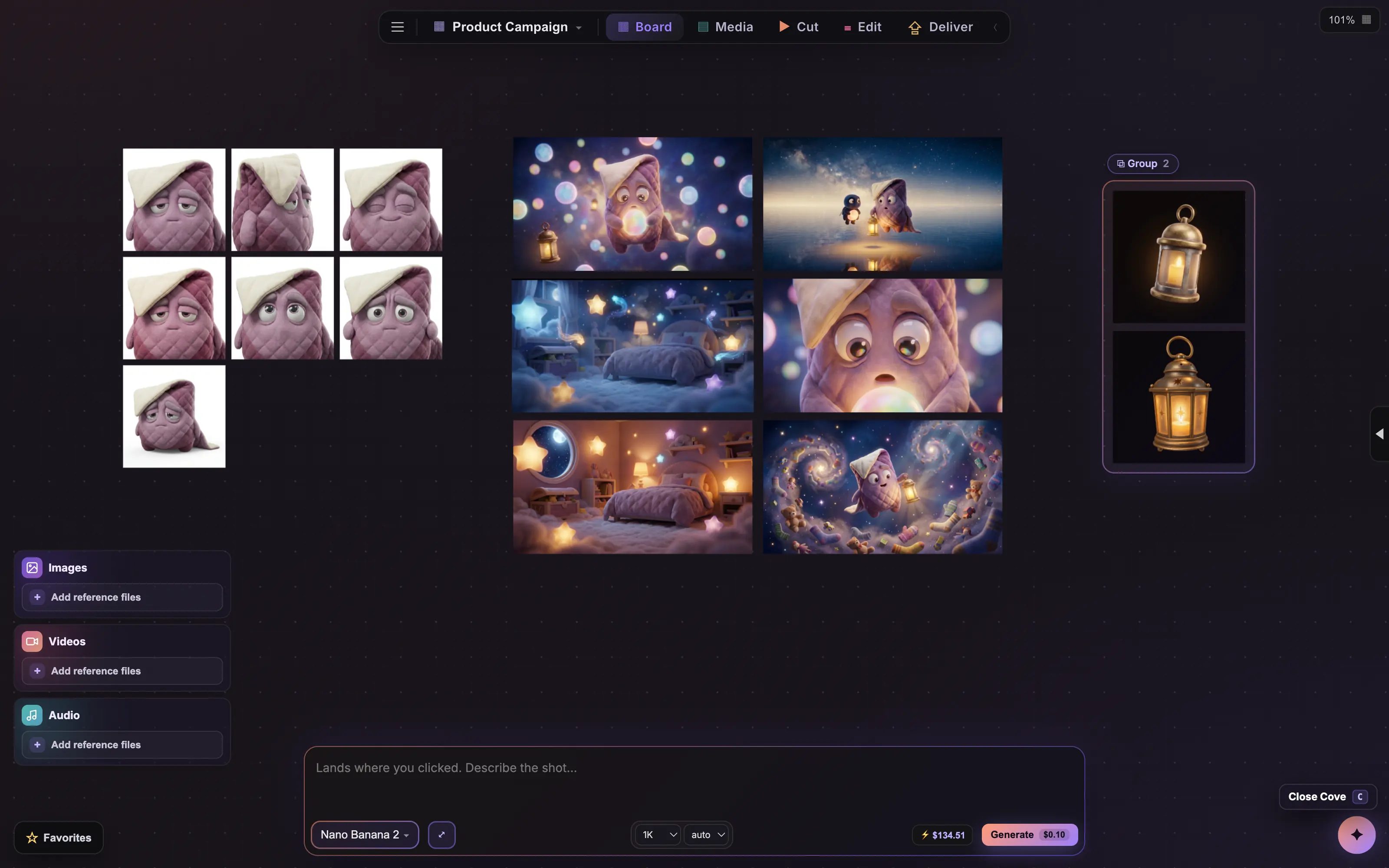
Collect references, brainstorm, and build the idea together on an infinite board. Sketches, stills, clips, and sound all live side by side.
2AI in everything
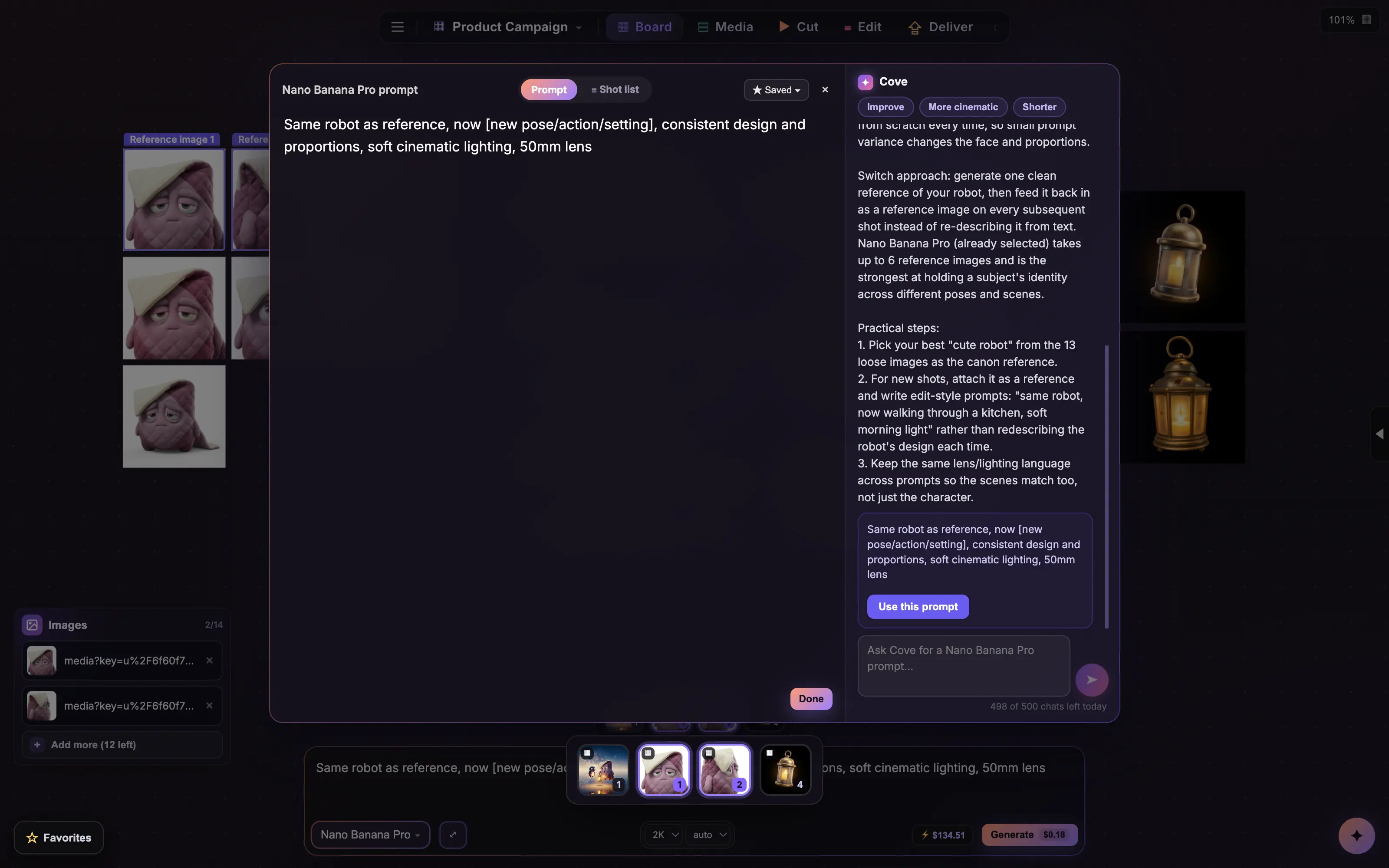
Cove generates images, video, and audio, remixes what is already on the board, writes the prompts, picks the model, and quotes the cost before you spend.
3Make it together
Send one link. Viewers look for free, as many as you want. Editors work right beside you, live: generating, cutting, arranging, scripting, and leaving notes on the same boards, cursors and all.
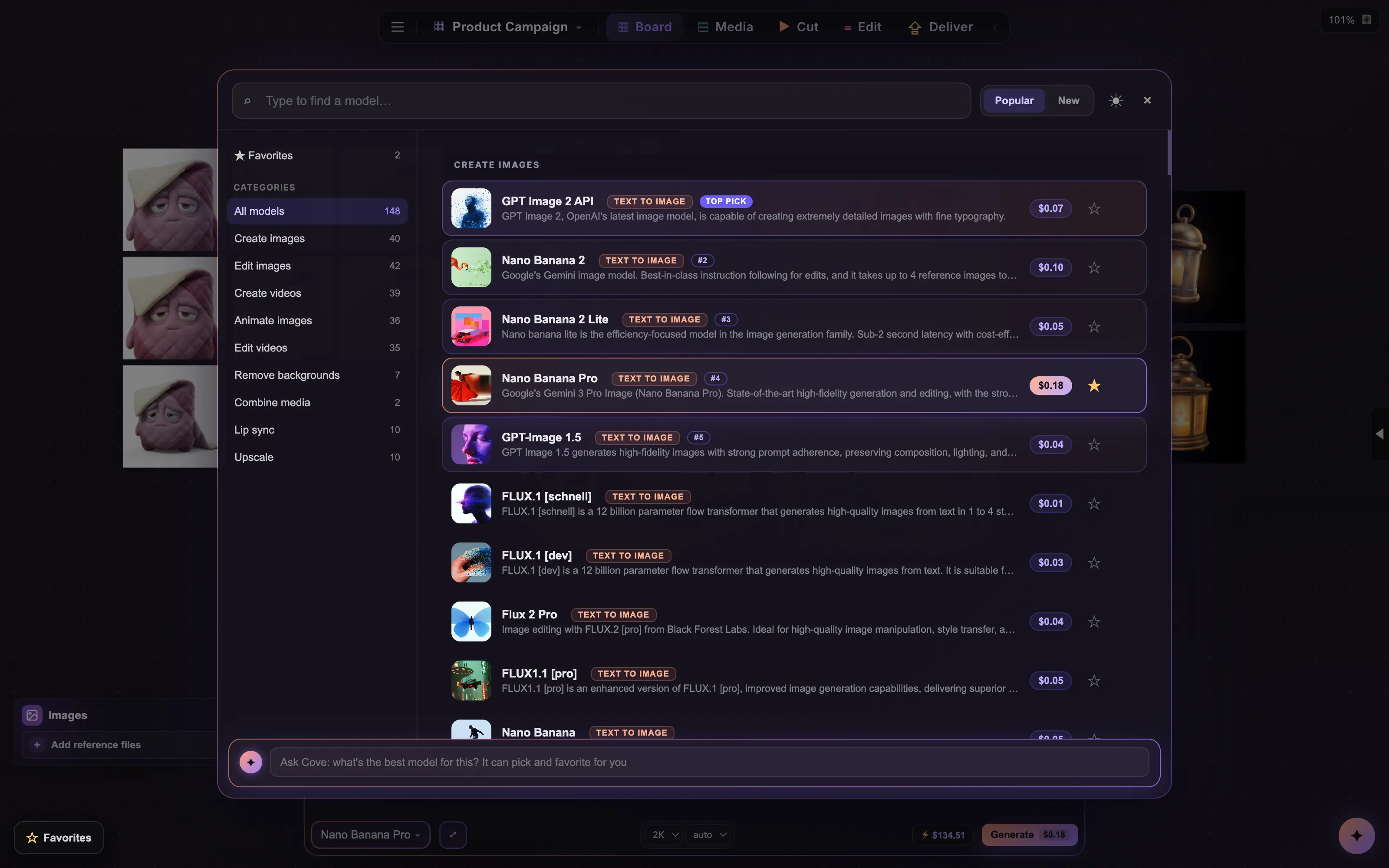
4190+ models
One browser organizes them by what they do, with live prices and human-preference rankings. Ask Cove and it picks the right one for the job.
5Real storyboards
Numbered panels with captions and VO, camera, and SFX notes. Generate straight into a panel or drop in your own shots.
6Focus edit
Double-click any frame and it opens like a Photoshop document. Crop, paint, mask, type, and layer, right where the shot lives. Draw on the frames themselves, with your own pencil or with AI.
7The Cut page
Play your boards like an edit. Retime cuts, scrub, lay in sound, and feel the animatic before anything is expensive.
8The Edit page
A real timeline for everything on the board: trim, split, and reorder your generations right next to your own footage and sound, on tracks, with a playhead, like it should be.
9The Deliver page
One page, every handoff: boards as PDFs, stills zipped, the animatic as an MP4, and a timeline Premiere or Resolve opens as a first cut. The job leaves the building the way the client needs it.
The real thing.
No mockups. These are straight captures from Coveboard, the same canvas you get on day one. Click any panel to open it full size.
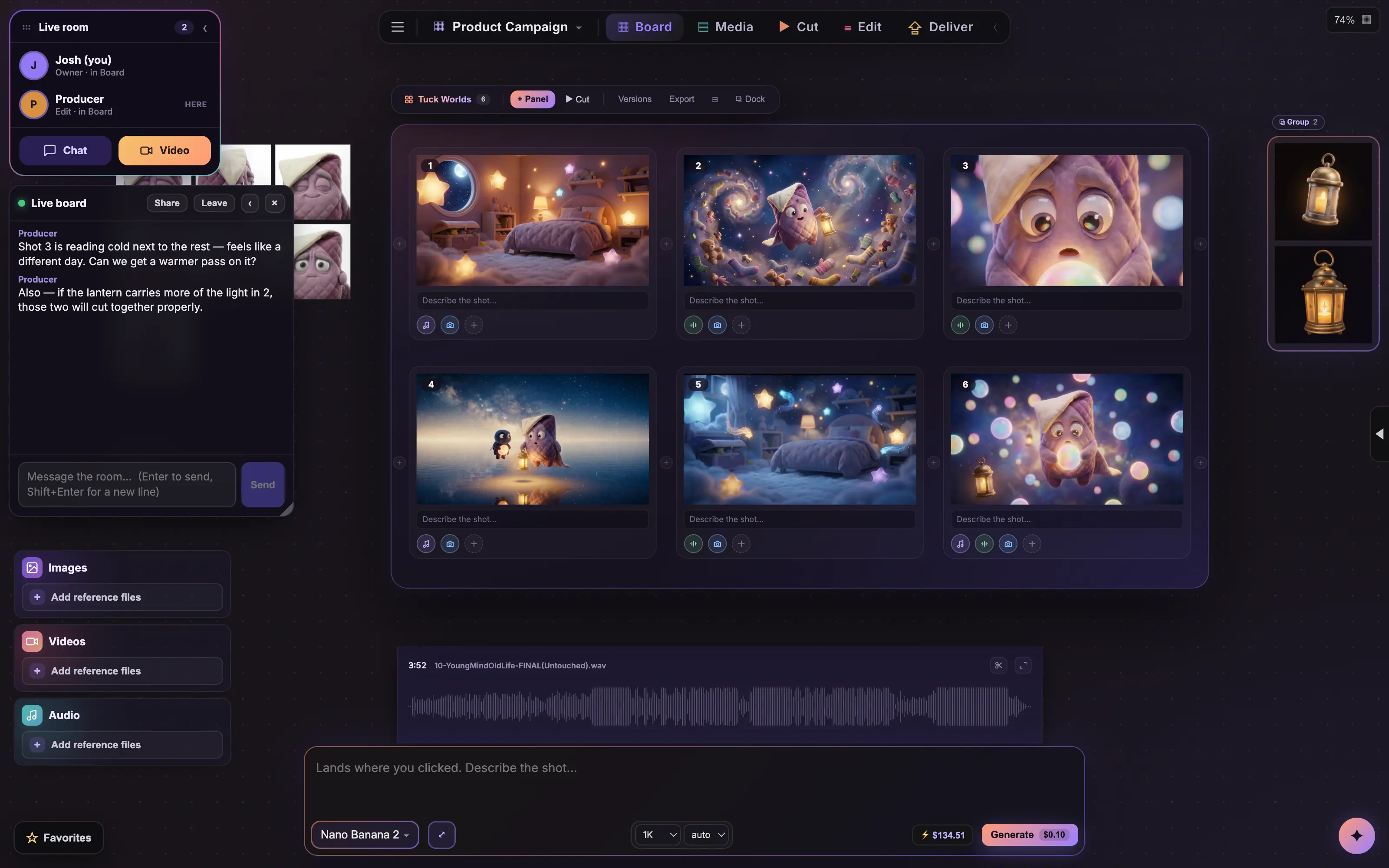
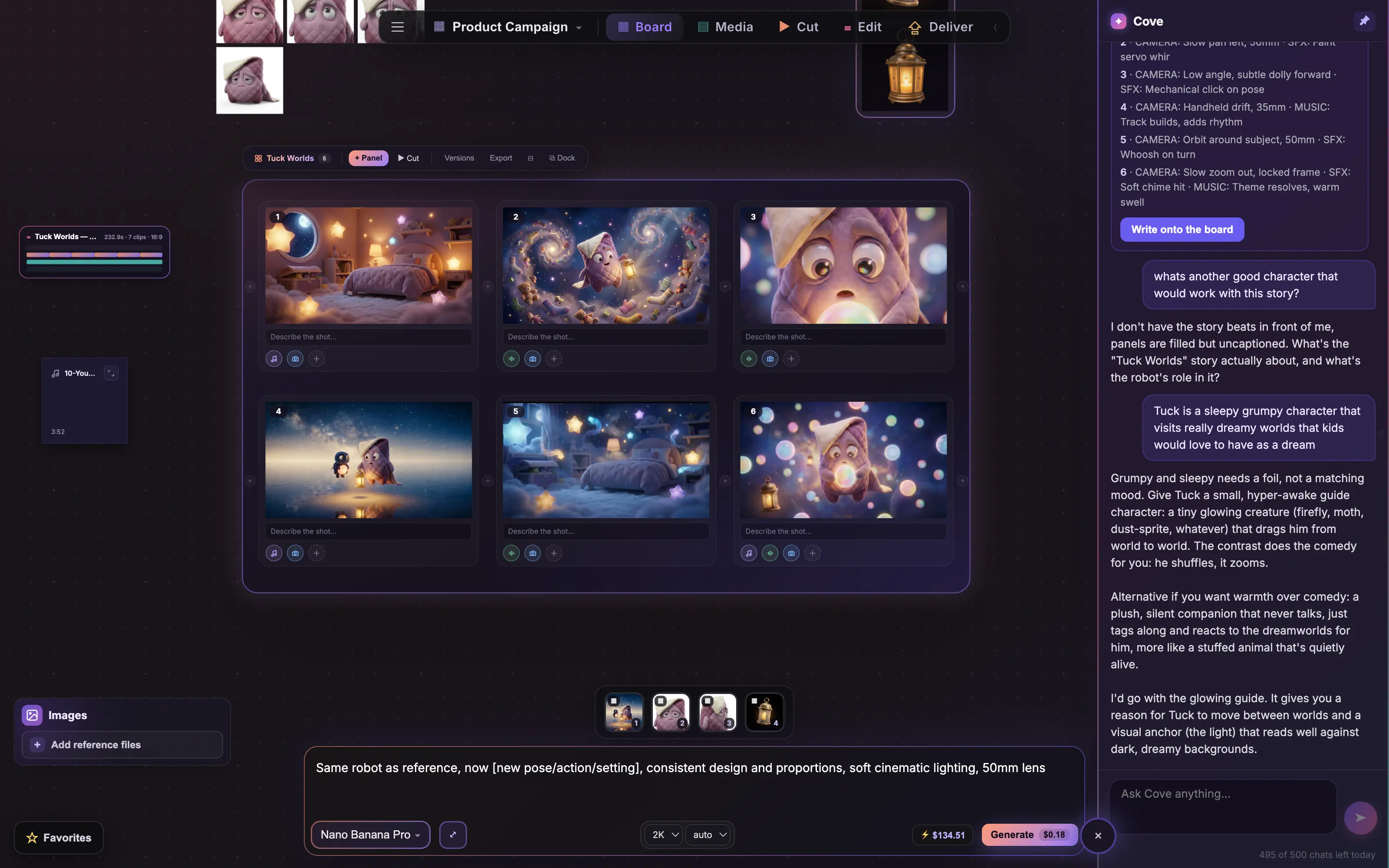
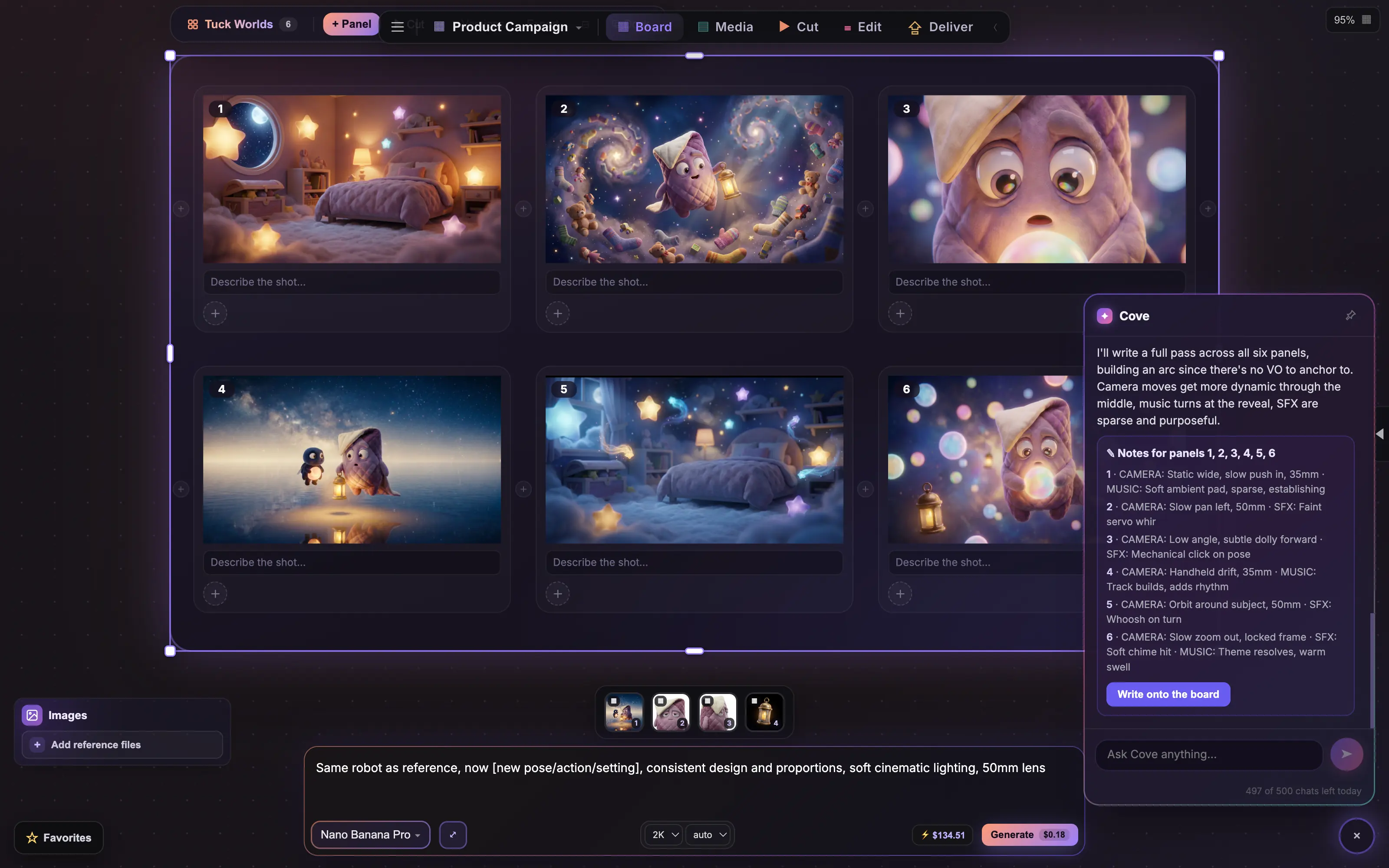
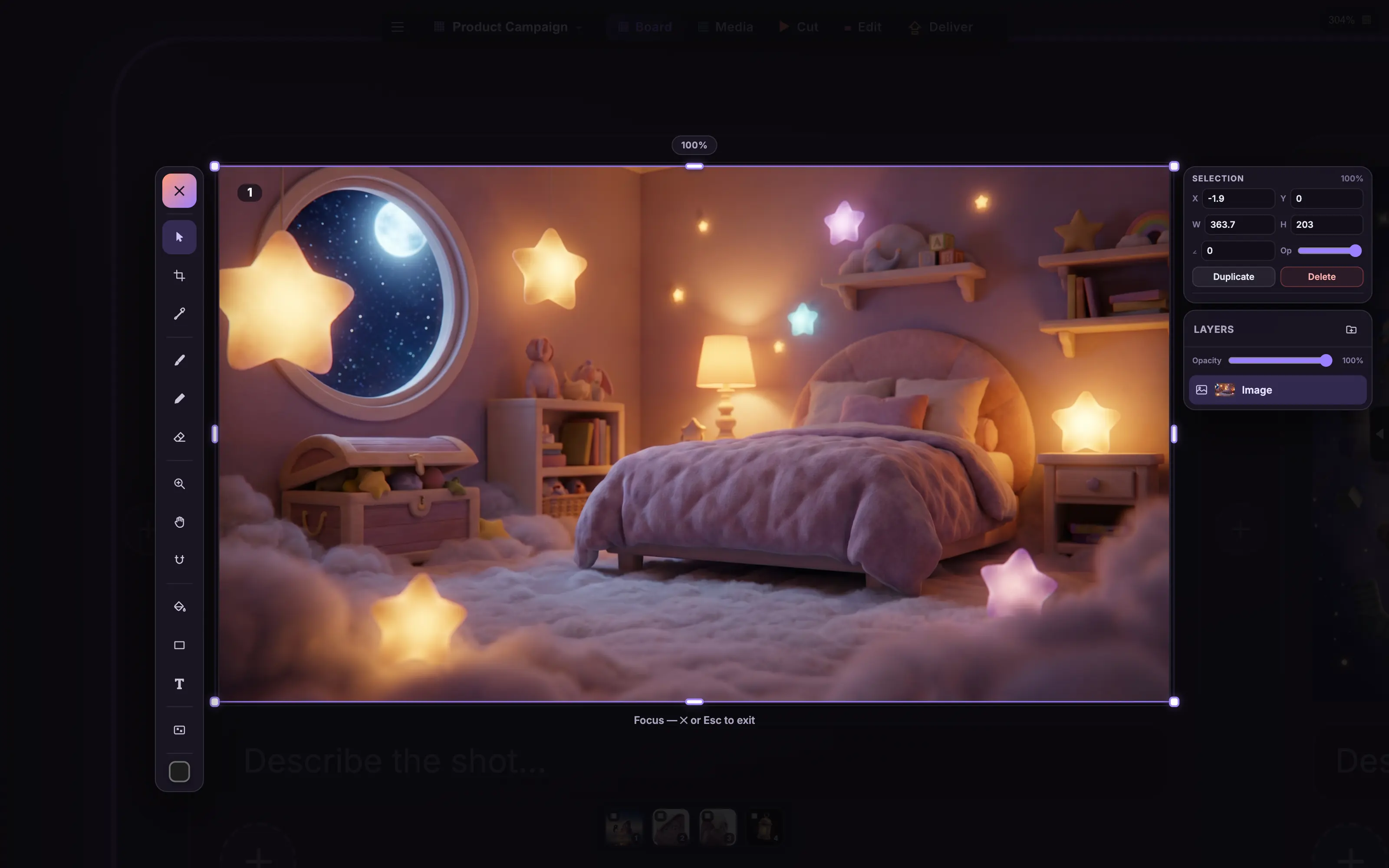
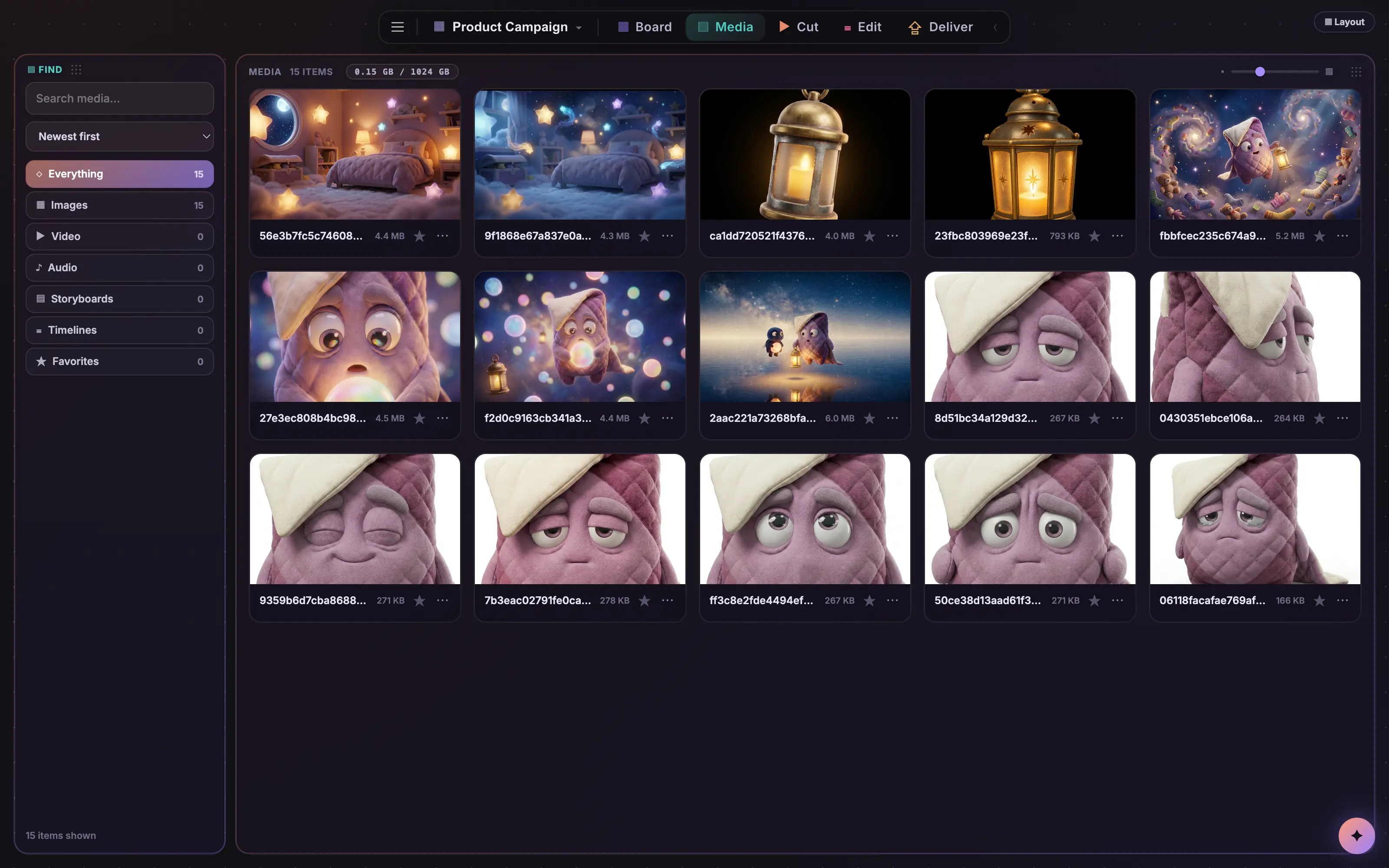
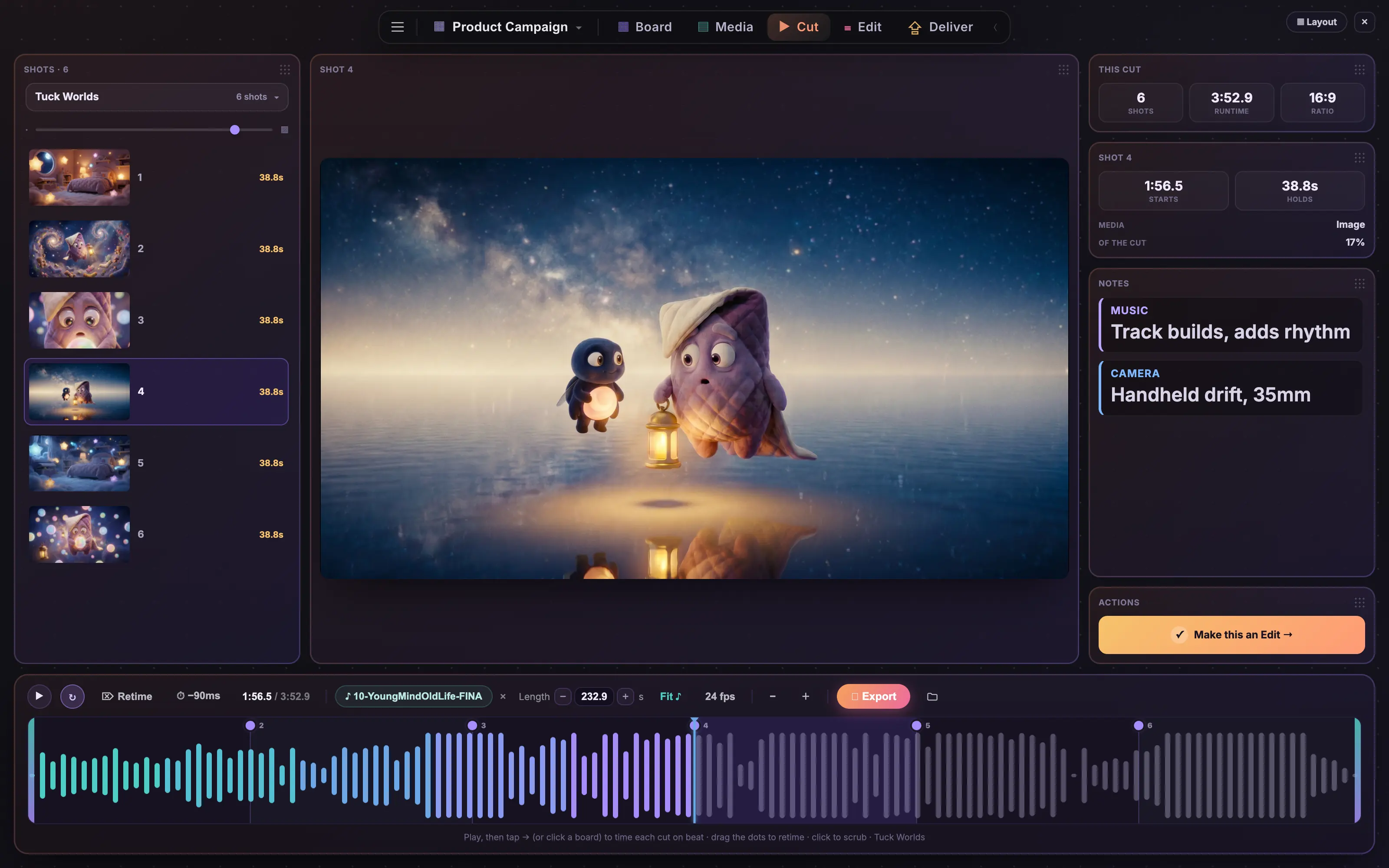
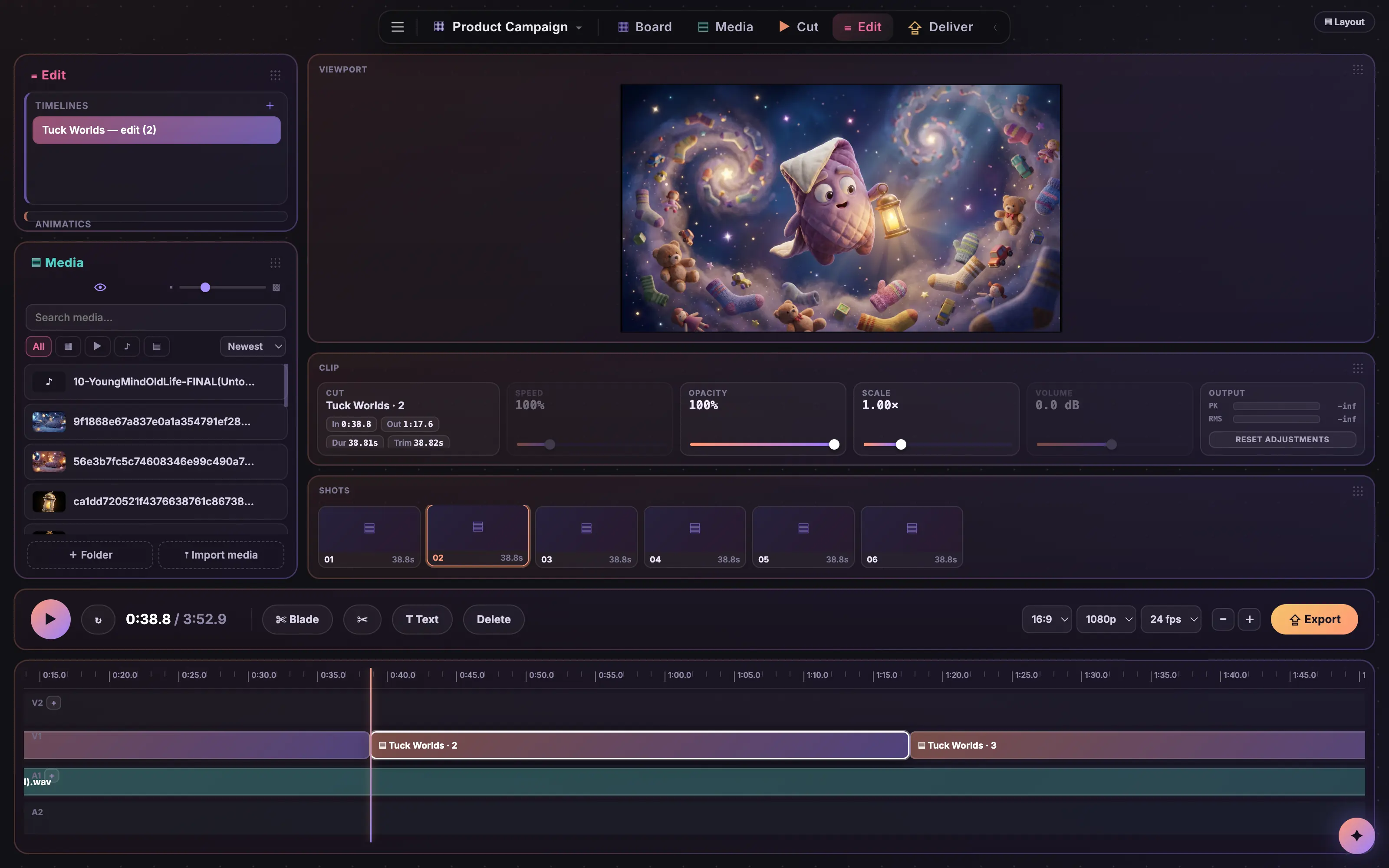
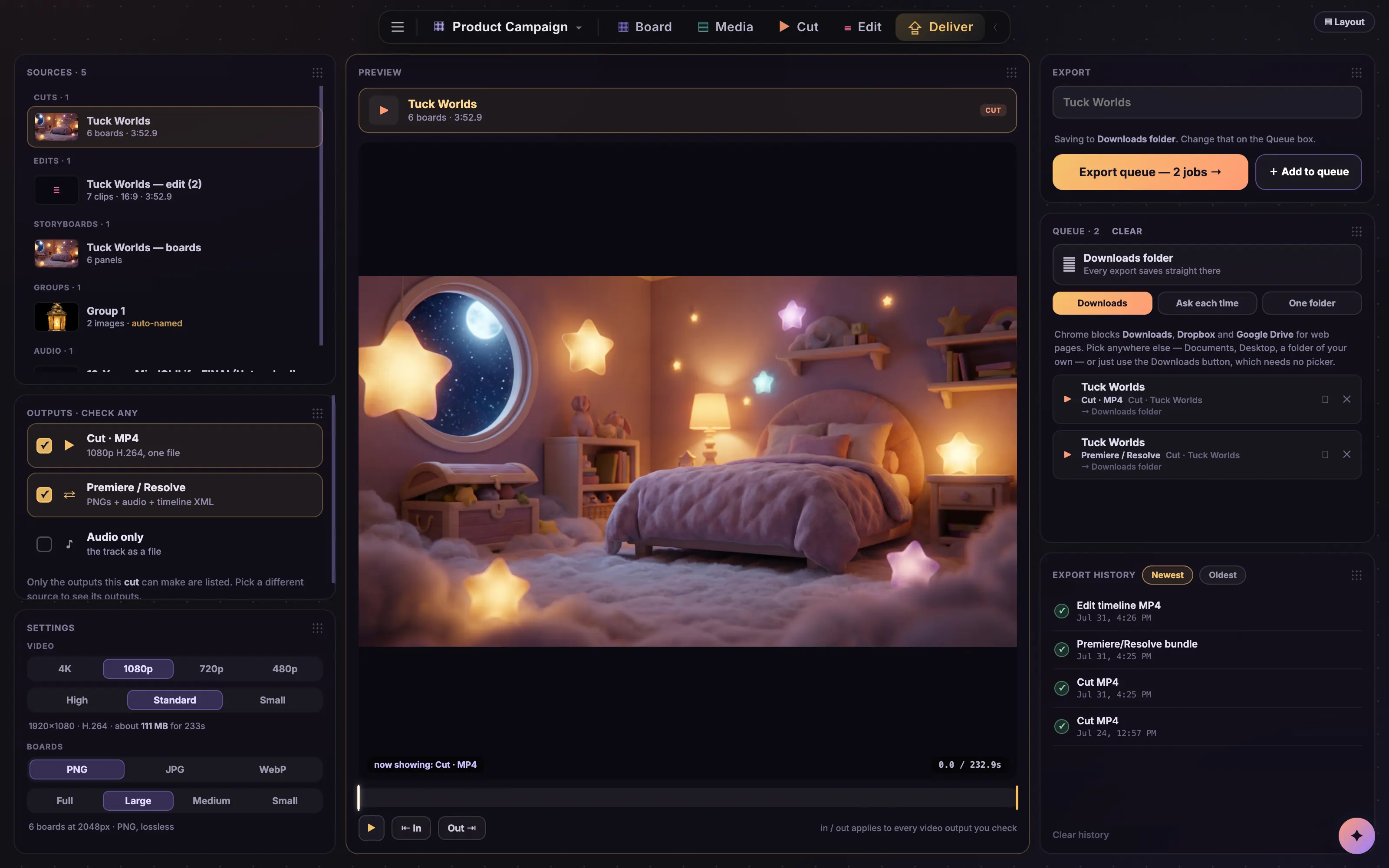
A canvas, not a queue.
Most AI tools hand you a chat log. On Coveboard every generation, clip, and sound lands as a real object on a real canvas. Work it the way you always have, with pencils, erasers, crops, and layers, or hand the same job to Cove and watch it happen. Every step goes both ways.
Switch models mid-thought
One prompt bar, 190+ models behind it. Jump from a Seedance clip to a Nano Banana still without losing your flow, with the live price on every Generate.
Compare side by side
Run the same prompt through three models at once. Smart grid snaps the results into clean rows so the winner is obvious.
Reference anything
Drop in a product shot or a frame you love. Use it as a start image, end frame, or style reference. Batch a prompt across every selected image.
Your media is welcome
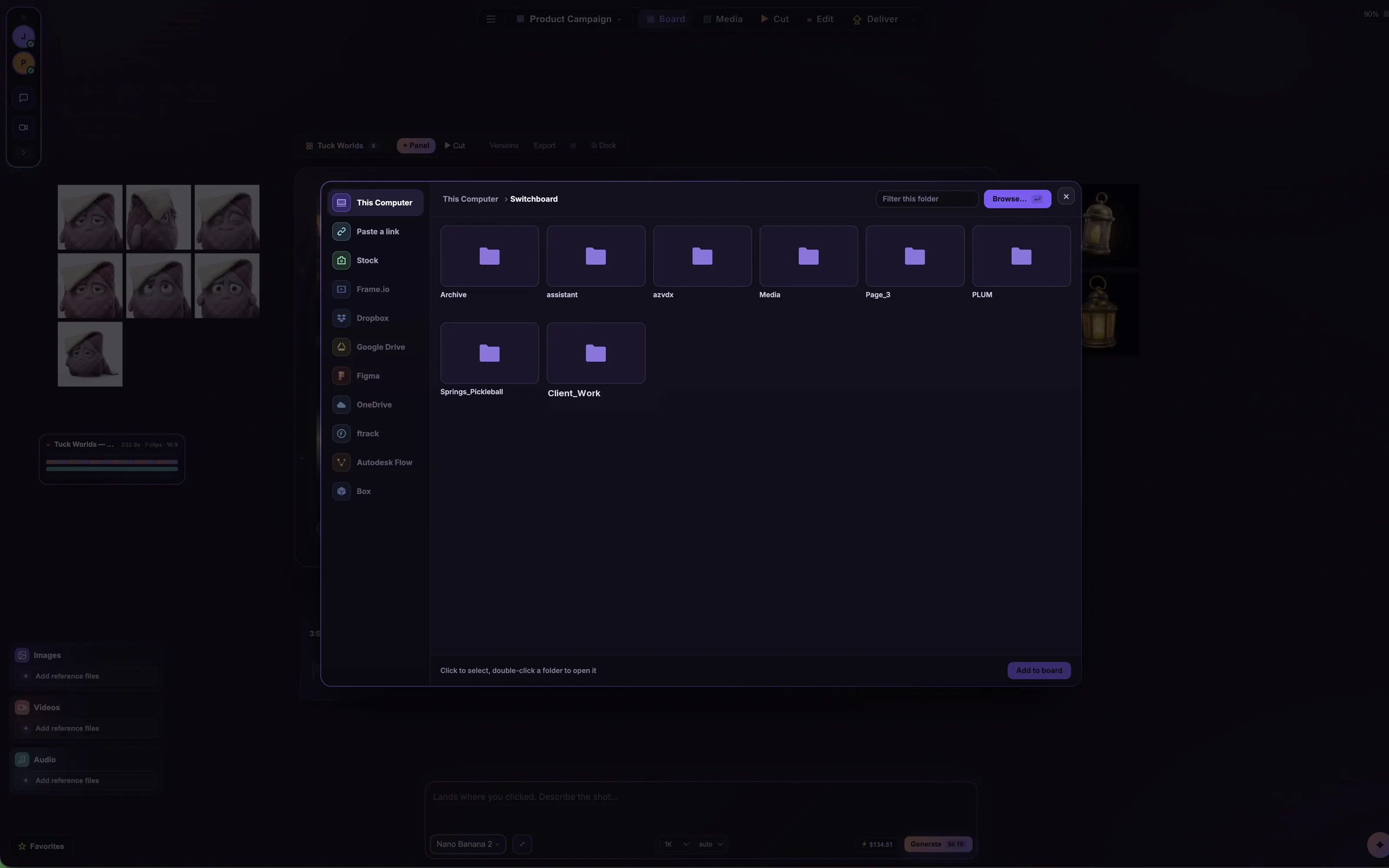
Drag in your own footage and audio. Scrub video in place, see sound as waveforms, split clips frame by frame, and mix it all with generations on the same board.
One click to your other tools
Right-click a shot and send it straight into your open After Effects project, or pop it open in Photoshop. Every generation is a real file on your disk, so nothing needs an export dance.
Lives in your menu bar
Coveboard sits one click away in your Mac menu bar. Summon it from any app with ⌘⇧S, or set it to float above everything while you work in After Effects underneath.